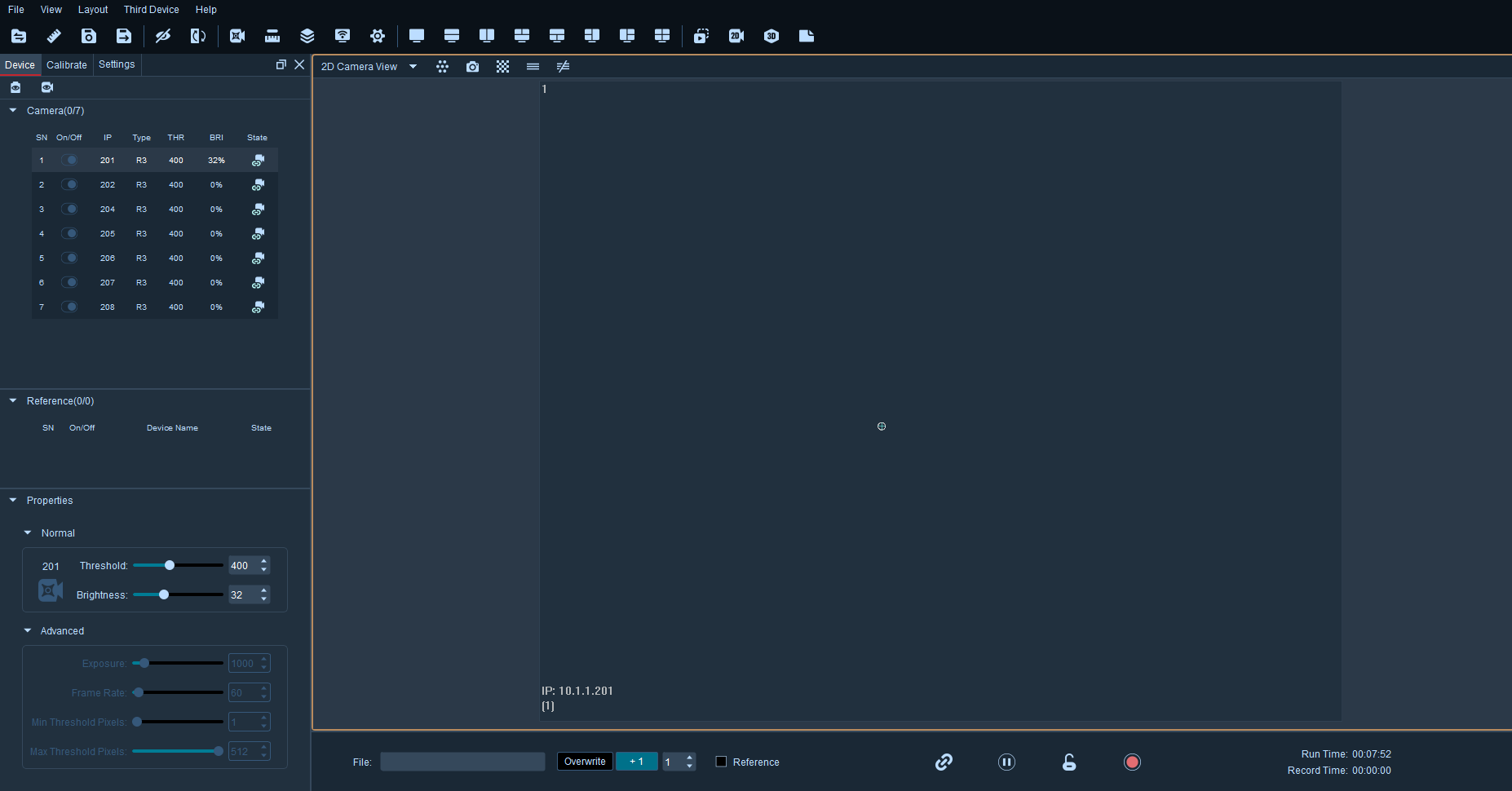
Connect the cameras, then click on the device icon at the top of the software to view each camera's device
properties (6.1.1).
Serial Number: After connecting the cameras, they will be listed under the motion capture camera section.
Clicking on a specific serial number will display information for that camera alone in the 2D view.
IP: Displays the IP address of the camera in the field, corresponding to the digital display below the camera.
Type: Displays the model of the camera in this view.
Status: Indicates the status of the camera. There are three states: online, frame drop, and offline.