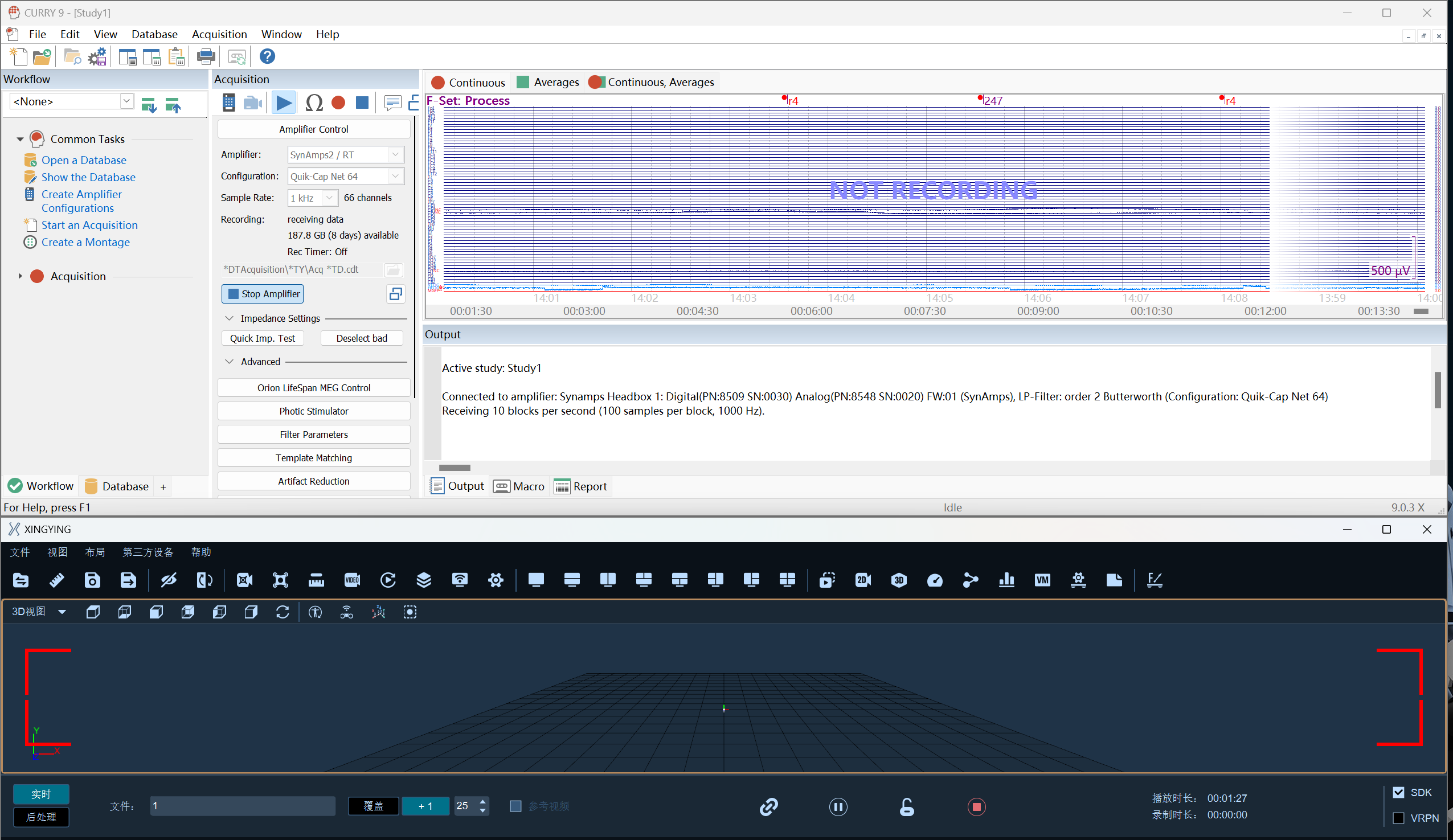
Electroencephalogram (EEG)
EEG Usage Instructions
- CURRY9 EEG hardware connection
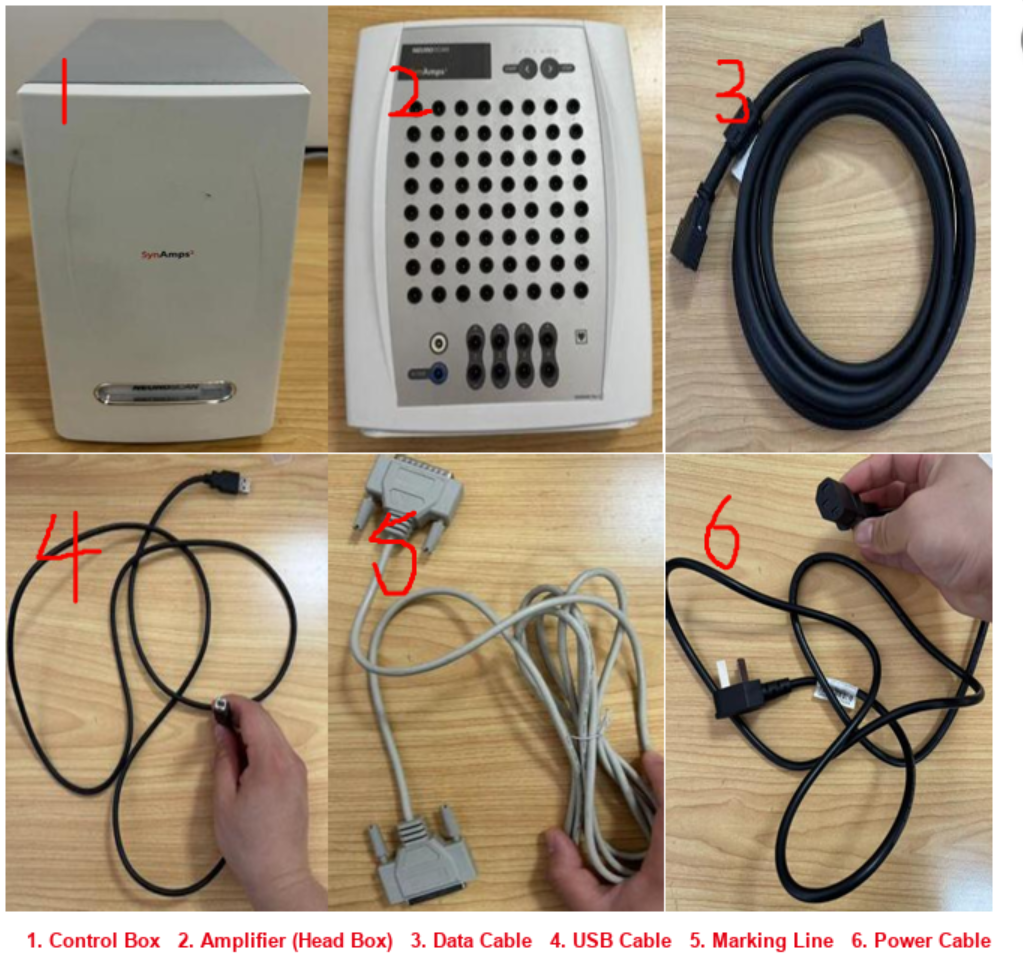

- Use the data cable to connect the amplifier to the control box;
- Plug in the USB cable and the power cable;
- Use the marking cable to connect the control box to the BIN module;
- Connect one end of the BNC adapter cable to the BIN module, and the other end to the 5V 1/2 ports of the sync box;
(2) CURRY9 EEG software installation
- Double-click Curry903Setup.exe to run the software installer;
- Click Next;
- Click I Agree;
- Check the option to install the amplifier driver;
- Click Next;
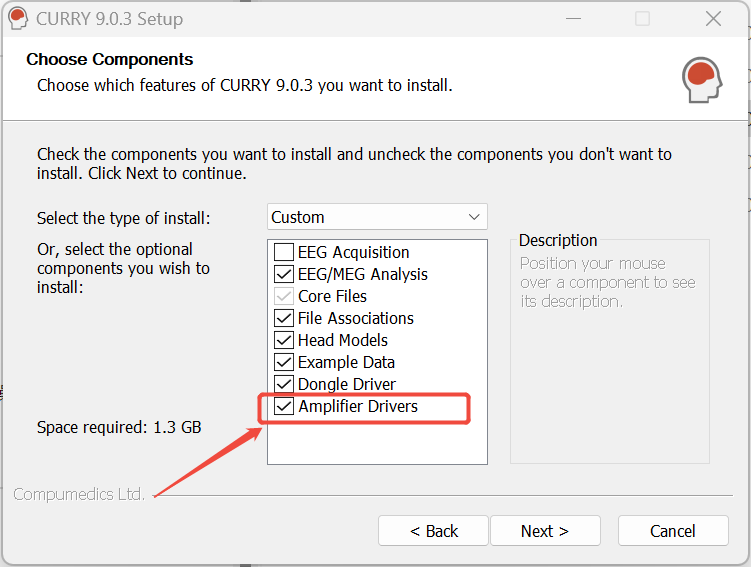
- Keep the default installation path and click Install;
(3) Amplifier parameter settings
- After the device is powered on, plug in the dongle and the USB cable;
- Open the software and select CreateAmplifierConfigurations;
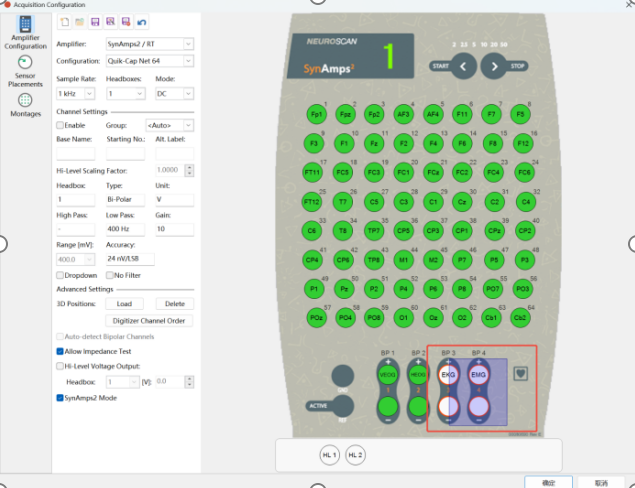
- Under Amplifier, select the amplifier type SynAmps2/RT;
- Under Configuration, select the configuration file Quik-Cap64, press and hold the left mouse button to drag and select 'EKG', then click 'OK';
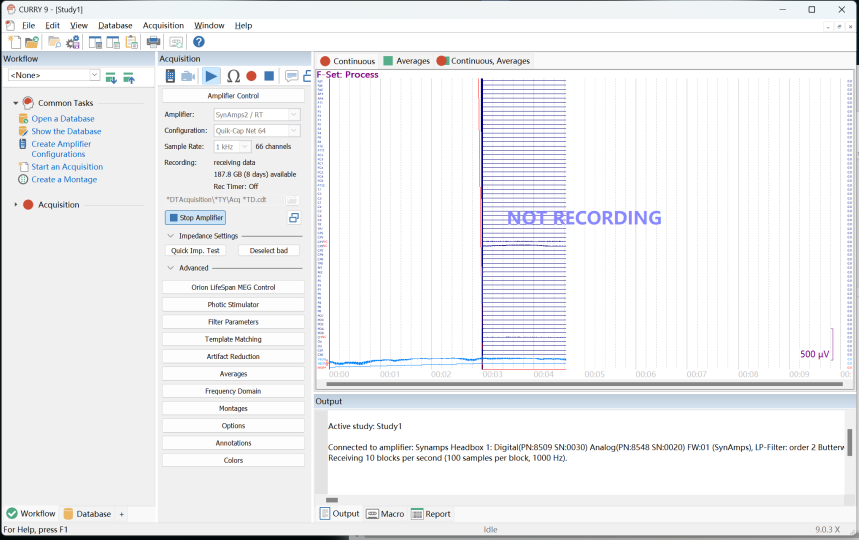
- Click Start an Acquisition, under Amplifier select the amplifier type SynAmps2/RT, and under Configuration select the configuration file Quik-Cap64;
- Click Start Amplifier to start playback;
(4) Synchronized recording of the software and EEG
- Connect the sync box to the switch where the cameras are located (the sync box needs to be flashed with specific firmware before it can synchronize with the EEG device);
- Open the software and connect the cameras;
- Click Settings, select Sync Box Settings, scroll down to Recording Channels, and check the two 5V 1/2 channels;
- Play in the software, enter the file name, and click Record;